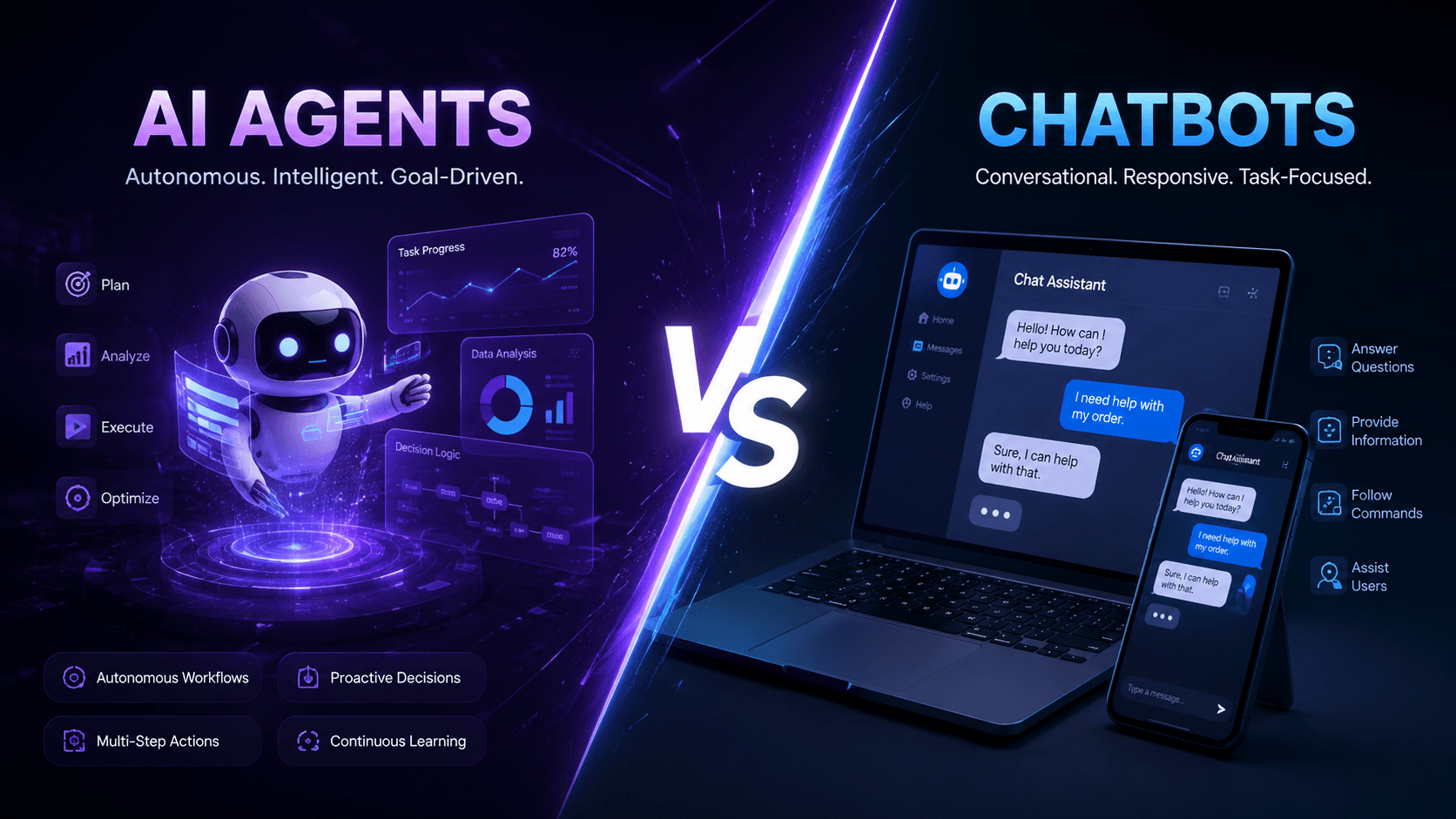
"AI agent" and "AI chatbot" get used interchangeably in almost every sales deck, LinkedIn post, and vendor pitch you'll see in 2026 — but they are not the same technology, and mixing them up can lead to the wrong investment for your business. A chatbot that answers FAQs is not the same thing as an agent that can look up an order, issue a refund, and email the customer a confirmation, all without a human touching it.
This guide breaks down exactly what separates the two, where each one earns its keep, and how to decide which is right for your business right now.
What Is an AI Chatbot?
An AI chatbot is a conversational interface designed to understand a user's message and respond with relevant information. Modern chatbots, built on large language models (LLMs), have moved far beyond the rigid, decision-tree bots of a decade ago. Today's chatbots can hold a natural conversation, understand context across a chat session, and pull answers from a knowledge base or set of documents.
What a chatbot is good at:
- Answering frequently asked questions instantly, 24/7
- Guiding a visitor to the right page, product, or team
- Qualifying leads with a short set of conversational questions
- Reducing first-response time on support tickets
- Deflecting repetitive queries away from human agents
What a chatbot typically can't do: take an action inside another system. A traditional chatbot's job ends at the conversation — it can tell a customer their order status if it's fed that data, but it generally cannot go modify a database record, trigger a workflow, or complete a multi-step task without a human in the loop.
What Is an AI Agent?
An AI agent takes everything a chatbot does and adds autonomy and action. Instead of just conversing, an agent can reason through a multi-step problem, decide what tools or systems it needs to use, execute those actions, and adjust its approach based on what it finds along the way.
Think of the difference this way: a chatbot can tell a customer where their package is. An agent can look up the tracking number in the shipping system, notice the package is delayed, automatically issue a partial refund per your policy, and send the customer a personalized email explaining what happened — end to end, without a human touching a single step.
What makes something an "agent" rather than a chatbot:
- Tool use — it can call APIs, query databases, browse the web, or trigger workflows in other software
- Reasoning and planning — it breaks a goal into steps and decides the order to execute them in
- Memory — it retains context across a task or even across sessions, rather than starting fresh each time
- Autonomy — it can complete multi-step processes with minimal or no human intervention
- Decision-making — it can evaluate outcomes mid-task and change its approach if something doesn't work
Agents are what power the current wave of automation in sales operations, customer support resolution (not just deflection), internal IT helpdesks, data entry, and back-office processing.
AI Agents vs. AI Chatbots: Side-by-Side Comparison
| Dimension | AI Chatbot | AI Agent |
|---|---|---|
| Primary job | Answer questions, hold a conversation | Complete tasks and workflows |
| Takes action in other systems | Rarely, if ever | Yes — CRMs, databases, APIs, internal tools |
| Multi-step reasoning | Limited | Core capability |
| Memory across sessions | Usually session-only | Can persist across tasks and time |
| Human involvement needed | For anything beyond Q&A | Often none, for defined workflows |
| Typical use case | Website support widget, lead capture | Order processing, ticket resolution, internal ops automation |
| Build complexity | Lower | Higher — needs integration, guardrails, testing |
| Best fit for | Front-facing conversational support | Operational automation and back-office workflows |
Real-World Examples
Chatbot in action: A visitor lands on an e-commerce site at 11 p.m. and asks about return policy. The chatbot pulls the answer from the FAQ page instantly, no wait time, no human needed.
Agent in action: A customer emails asking to change their subscription plan mid-cycle. An agent reads the request, checks the billing system for the current plan and payment status, calculates the prorated amount, updates the subscription, sends a confirmation email, and logs the change in the CRM — a task that would otherwise take a support rep 10–15 minutes across three different tools.
This is the same distinction we walk clients through in our AI & Machine Learning and dedicated AI Chatbots & Agents engagements — most businesses actually need both, layered for different jobs.
Which One Does Your Business Actually Need?
This is the question that matters more than the terminology. A few honest signals to help you decide:
Start with a chatbot if:
- Most of your inbound queries are repetitive and informational (hours, pricing, shipping, policies)
- You want to reduce response time without touching backend systems yet
- You're testing AI-assisted support for the first time and want a lower-risk starting point
You're ready for an agent if:
- Your team is manually repeating the same multi-step process dozens of times a week (order changes, refunds, data lookups, appointment rescheduling)
- You already have chatbot-level deflection in place but customers still need a human to finish the task
- You want AI to reduce operational headcount needs, not just first-response time
Most mature businesses land somewhere in between — a conversational front door (chatbot) that escalates to an autonomous agent for anything that requires action. That layered approach is usually the highest-ROI setup, and it's exactly how we architect these systems as part of our broader Generative AI Solutions and AI SaaS Development work for clients building AI-native products from the ground up.
Common Mistakes Businesses Make
- Buying an "agent" that's really a chatbot with better marketing. Ask any vendor directly: does it call external tools/APIs, and can it complete a task without a human confirming every step? If the answer is no, you're looking at a chatbot.
- Skipping guardrails. Autonomy without limits is risky — agents that touch billing, refunds, or customer data need approval thresholds, audit logs, and fallback paths to a human.
- Deploying an agent before the underlying process is documented. Agents automate a process — if the process itself is inconsistent or undocumented, the agent will just automate the chaos faster.
- Assuming one-size-fits-all. A support agent and a sales-qualification agent need very different tool access, tone, and escalation logic. Treat each as its own build, not a copy-paste of the same bot.
Where This Is Heading
The line between "chatbot" and "agent" is going to keep blurring as LLMs get better at tool use natively. But the underlying distinction — conversation vs. autonomous action — will stay relevant, because it maps to two genuinely different business needs: being responsive and being operationally efficient. The businesses winning with AI in 2026 aren't picking one over the other; they're deploying both, deliberately, for the jobs each one is actually good at.
If you're still mapping out where AI fits across your marketing and operations stack more broadly, our guide on how AI is transforming digital marketing in 2026 is a good next read — it covers the SEO, PPC, and content side of the same shift.
Ready to Build the Right One for Your Business?
Whether you need a conversational chatbot to handle front-line support or a full autonomous agent wired into your internal systems, our team designs, builds, and deploys both — scoped to what your business actually needs, not what's trending. Book a free strategy call and we'll help you figure out exactly where to start.